
Made for your everyday work
Build the quote.
Follow the payment.
Prepare quotes and invoices in Excel, keep document and payment records together, and review what is still outstanding.

From a clear quote to a clearer record
Follow the payment.
Prepare quotes and invoices in Excel, keep document and payment records together, and review what is still outstanding.
Illustrative lifestyle image
Give your next decision more context
Prepare your documents
Use the client and item references to build quotes and invoices, with dedicated print layouts.
Maintain document, sales-line and payment logs as part of your regular workflow.
Prepare your documents
Use the client and item references to build quotes and invoices, with dedicated print layouts.
Keep the history together
Maintain document, sales-line and payment logs as part of your regular workflow.
Follow outstanding balances
Review receivables, ageing, follow-up and pipeline views to see what needs attention.
Inside your download
Open Excel.
Meet your workbook.
One English Excel workbook and its PDF guide, together in a ZIP file.
A connected workbook, with a place to start.
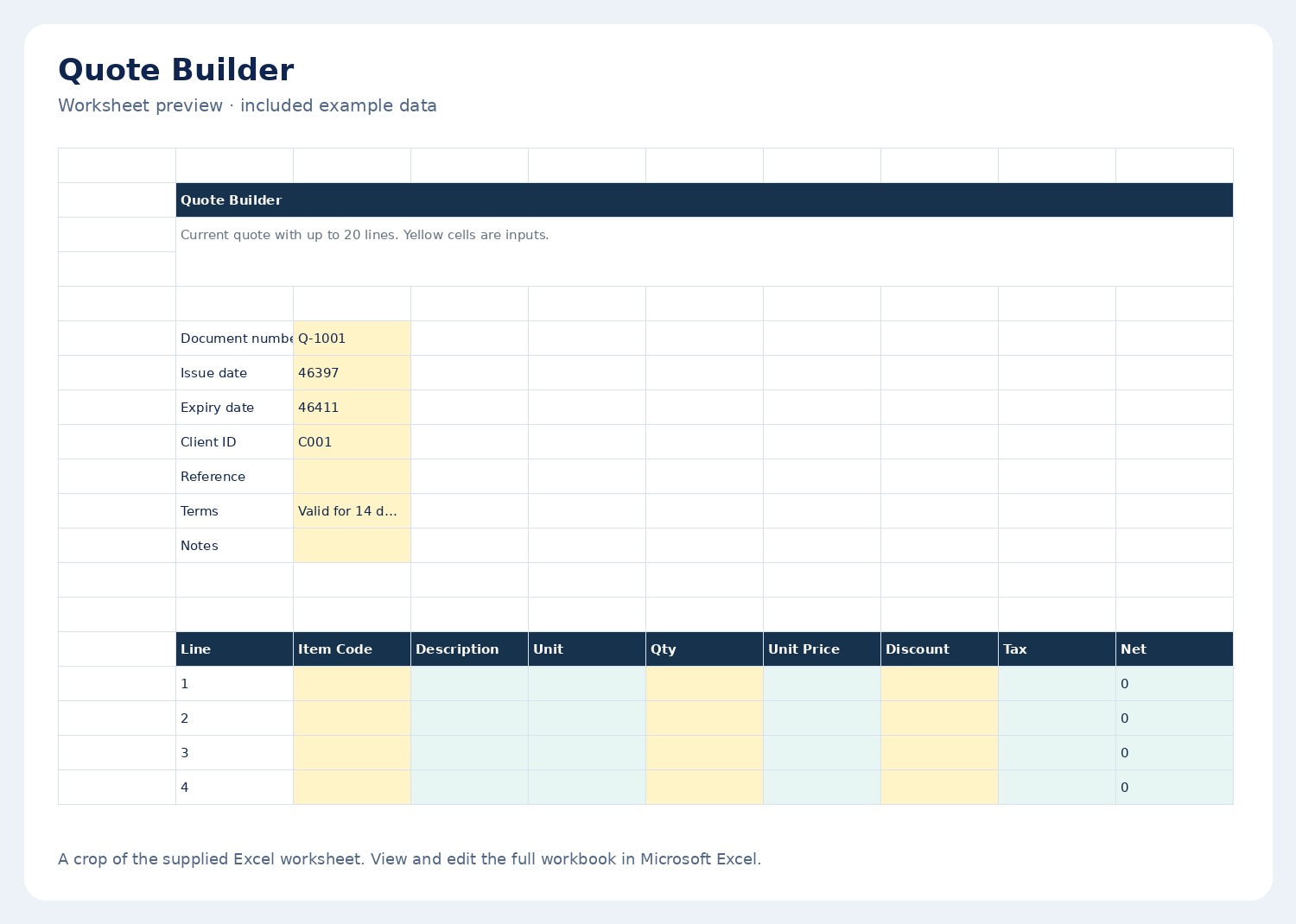
- Quote BuilderIncluded worksheet
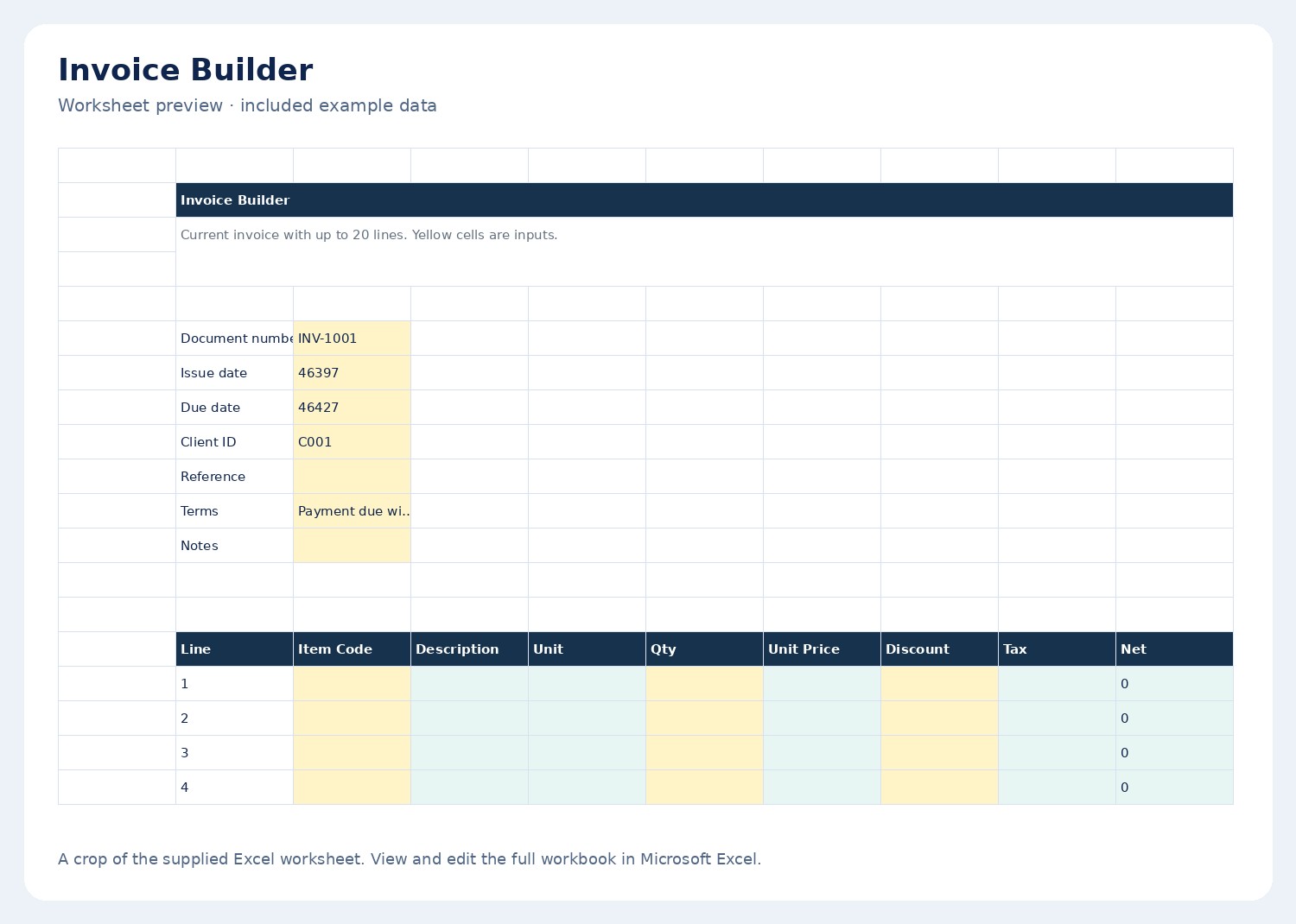
- Invoice BuilderIncluded worksheet
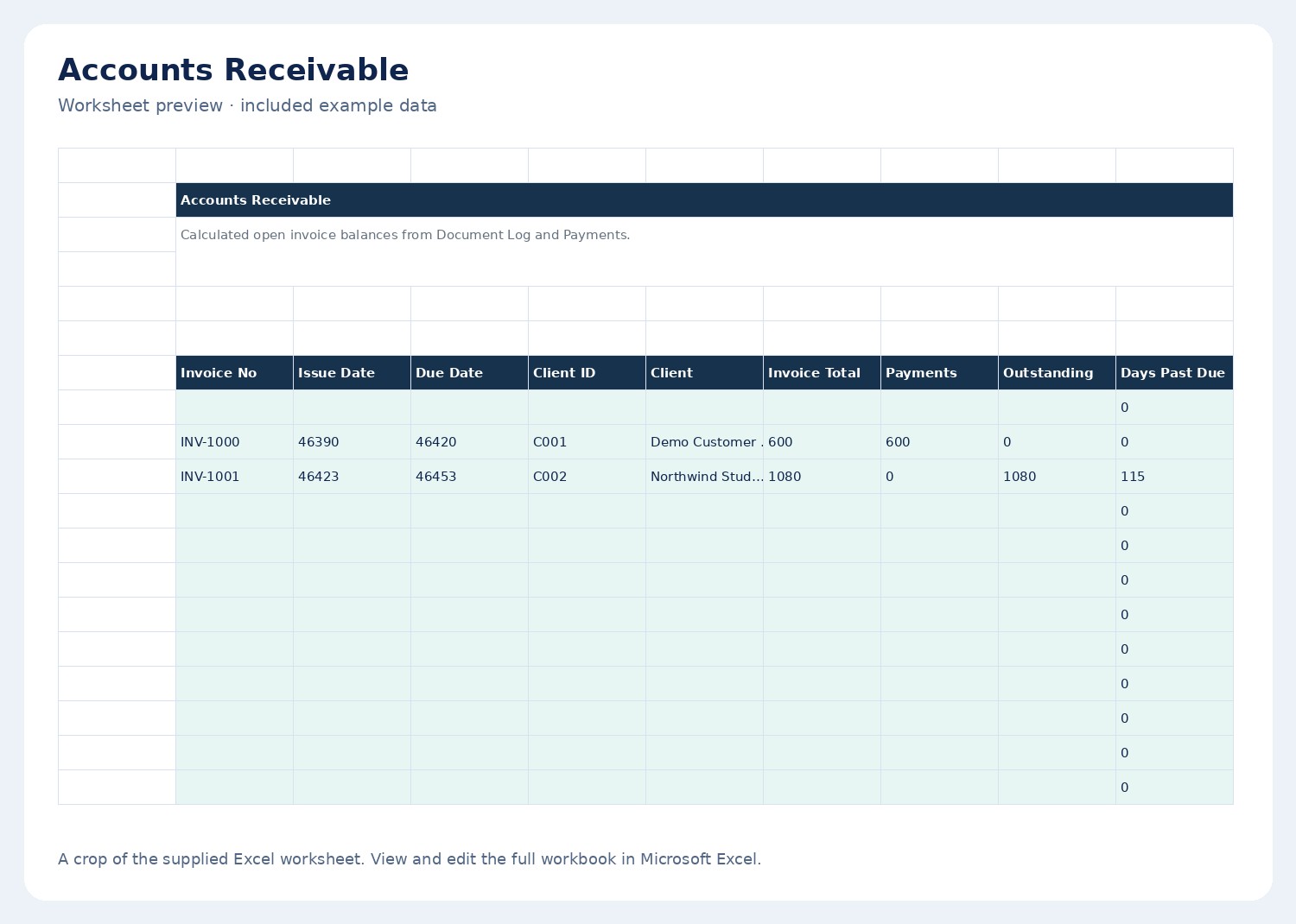
- Accounts ReceivableIncluded worksheet
- Invoice PrintIncluded worksheet
See all 26 worksheet names
Start Here · Settings · Clients · Item Catalog · Quote Builder · Invoice Builder · Quote Print · Invoice Print · Document Log · Sales Line Log · Payments · Accounts Receivable · AR Aging · Quote Pipeline · Invoice Follow-Up · Recurring Billing · Revenue Forecast · Monthly Sales · Tax Summary · Client Summary · Item Summary · Dashboard · QA Checks · Profit Summary · Terms Library · Email Templates
From download to your first review
Set up. Record. Review.
Open and set up
Save an untouched master copy. Read the included guide and replace the example settings.
Add your own records
Use the editable input areas and the workflow described in the PDF guide.
Review the connected views
Check your inputs, then read the summaries and planning views. Save a copy for your records.
A few essentials
Microsoft Excel. English. Digital download.
Microsoft Excel is required and is not included. This is an .xlsx workbook. Google Sheets compatibility has not been verified for this edition.
Before you start
A few good
questions.
The details that help you decide whether this workbook fits your day.
Does it send invoices automatically?
No. You prepare and export or print documents in Excel and send them through your own email or document workflow.
What do I receive after purchase?
A ZIP file containing the English Excel workbook and its PDF user guide. Download access is provided after confirmed payment.
Is this a physical product?
No. This is a digital download. No physical item is shipped.
Do I need an online account inside the workbook?
The supplied file is a standalone Excel workbook. Follow the included guide for setup and use your own copy of Microsoft Excel.
Follow the payment.
Your records and planning views, together in Excel.