Made for your everyday
Your food. Your movement.
One clearer picture.
Bring the meals you eat and the extra activity you do into the same weekly view.

Count what
you eat.
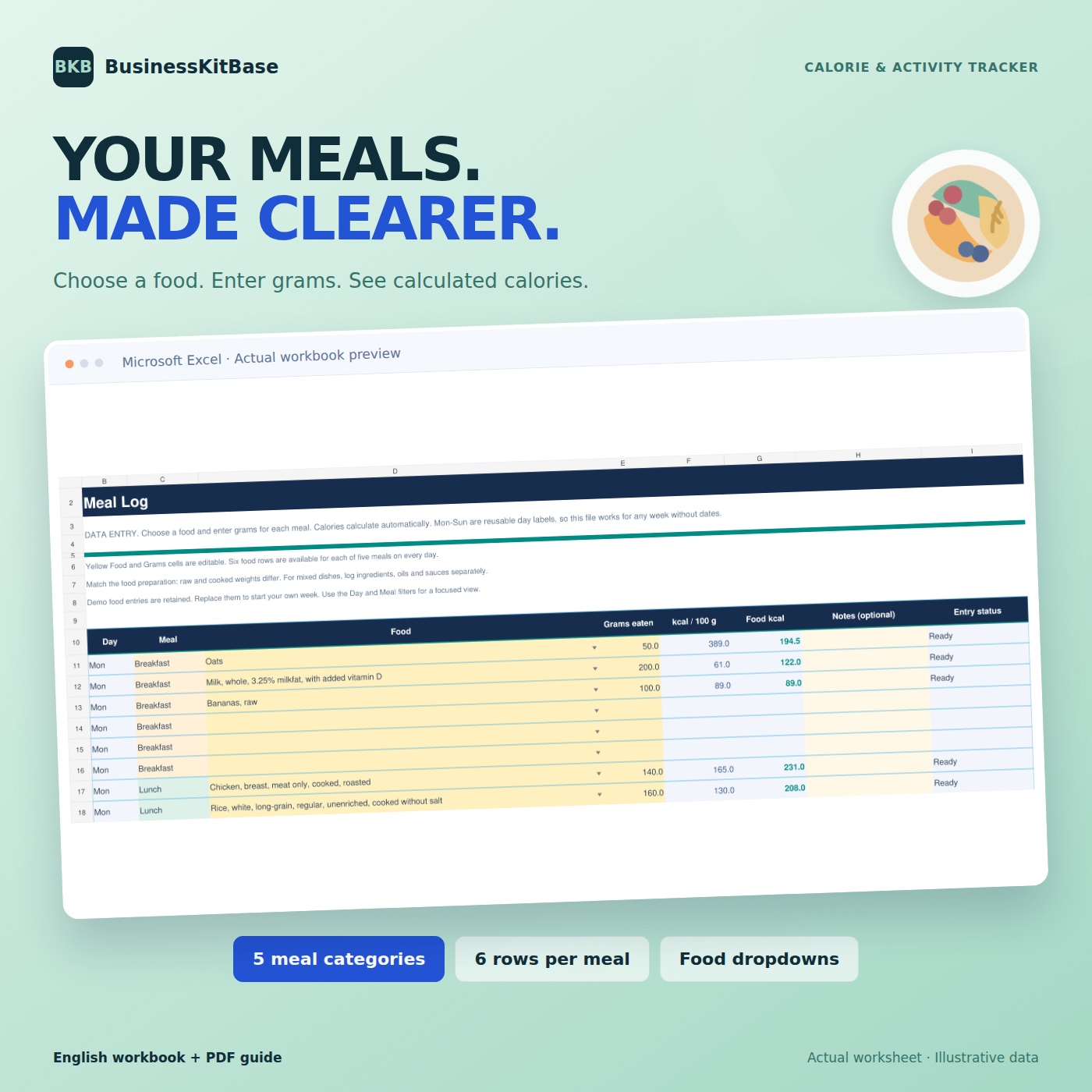
Choose foods, enter portions and let Excel add up the calories.

See what
you burn.
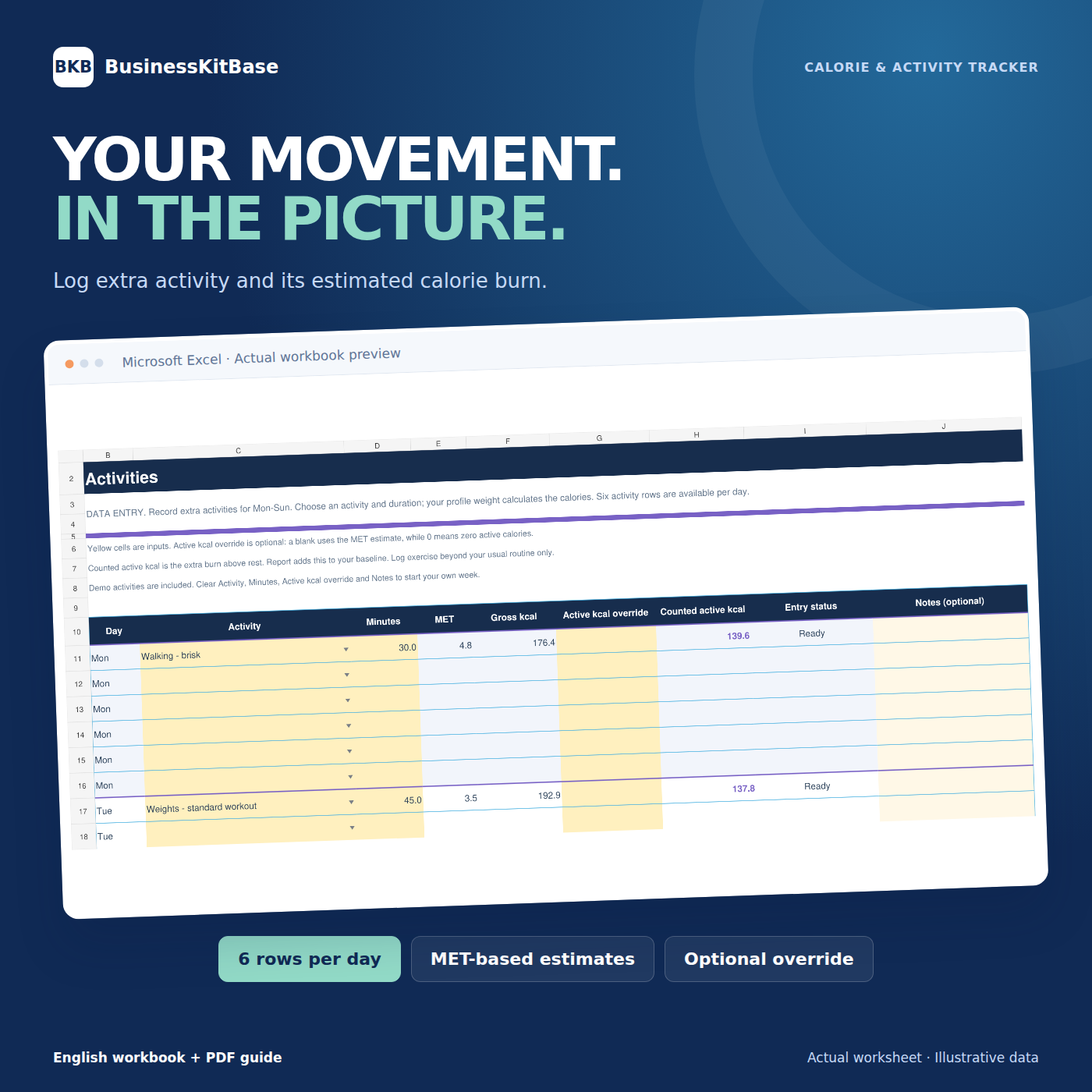
Log extra activity and review estimated active calories.
Meet your weekly picture
See the week.
Understand the pattern.
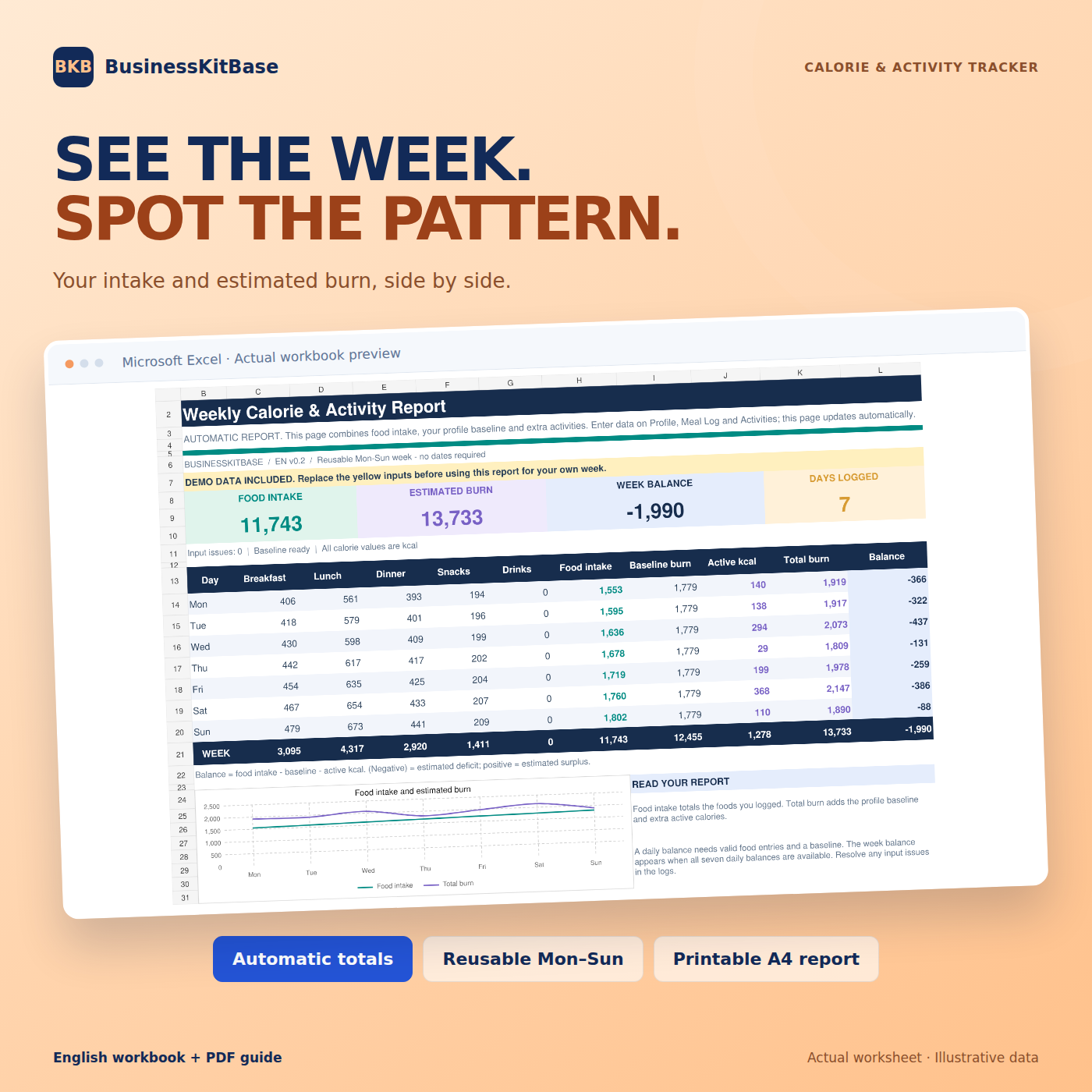
Meals here. Activity there. Bring them together in one Excel workbook and see your daily totals and estimated energy balance side by side.
Log your week, read the report, then save a copy and start again.
Inside your download
Open Excel.
Meet your tracker.
One reusable workbook. A guide that shows you where to start. Example entries so you can see how it works.
Six sheets. One connected week.
- ReportDaily totals and your weekly energy balance
- ProfileYour details and baseline estimates
- Meal LogFoods, grams and calculated calories
- ActivitiesExtra exercise and active-calorie entries
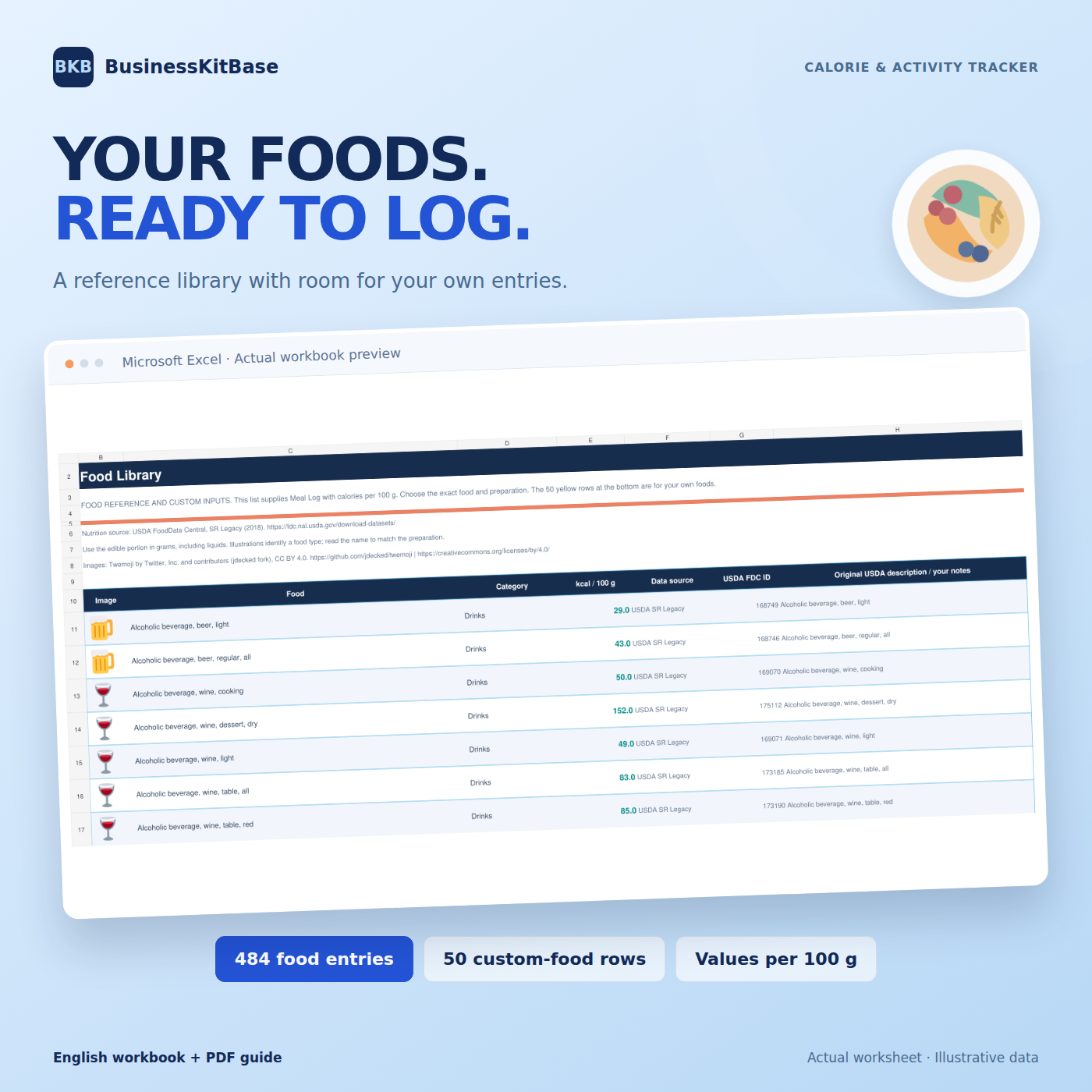
- Food Library484 reference foods + 50 custom-food rows
- Activity LibraryActivity intensities and selection notes
From download to your first week
Set up. Log. Review.
Make it yours
Open the workbook and replace the example profile. Yellow cells show where your data goes.
Log meals & movement
Choose foods, enter grams and add activity beyond your normal routine.
See your week
Review the totals and chart. Save the week or export the report as an A4 landscape PDF.
A few essentials
Microsoft Excel. English. Digital download.
This is an .xlsx template. Excel software is required and is not included. Google Sheets compatibility has not been verified for this version.
Before you start
A few good
questions.
The details that help you decide whether this tracker fits your week.
Can I add my own foods?
Yes. The Food Library includes 50 editable custom-food rows. Enter a unique food name, category and calories per 100 g to make it available in the Meal Log dropdown.
Can I reuse the workbook every week?
Yes. Save a copy of the completed week, then clear the editable meal and activity inputs. Keep the formulas and reference libraries. The guide lists the exact input ranges to clear.
What do I receive after purchase?
A ZIP file containing the Excel workbook and the six-page PDF guide. Download access is provided after confirmed payment. This is a digital product.
Do I need to enter every activity?
Record activity beyond the routine already included in your profile baseline. The same movement should be counted once. The guide explains the difference between gross and extra active calories.
Can I print the weekly report?
Yes. The Report worksheet is designed for a one-page A4 landscape export or printout. Select the Report sheet in Excel and preview it before printing.
Make your week easier to read.
Your meals, movement and weekly report — together in Excel.